Button Group
A row of clickable text buttons where only one can be selected at a time. Visually similar to a size or variant picker.
When to use
- T-shirt sizes (S / M / L / XL / 2XL)
- Finish options (Matte / Gloss / Satin)
- Short, text-based exclusive choices
- Any scenario where the customer benefits from seeing all options as compact buttons
General settings
| Setting | Description |
|---|---|
| Label | Field label |
| Required | Customer must select a button |
| Help text | Guidance below the buttons |
| Wrap | Allow buttons to wrap to multiple rows on small screens |
| Allow multiple | Lets the customer select more than one button at a time |
| Min selections | Minimum number of buttons the customer must select (when Allow multiple is on) |
| Max selections | Maximum number selectable simultaneously |
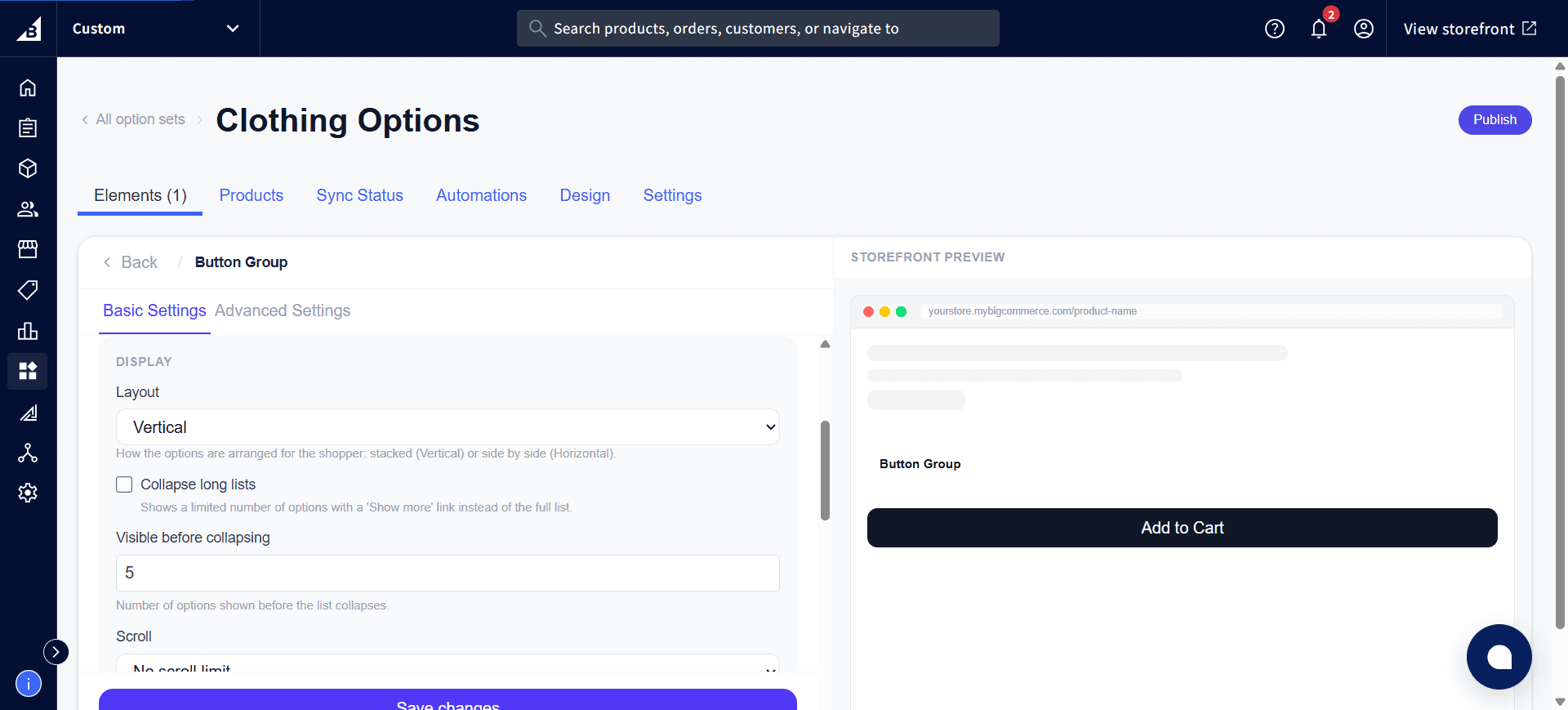
The Display section has the same long-list options as Radio Buttons — Layout, Collapse long lists, Visible before collapsing, and Scroll:
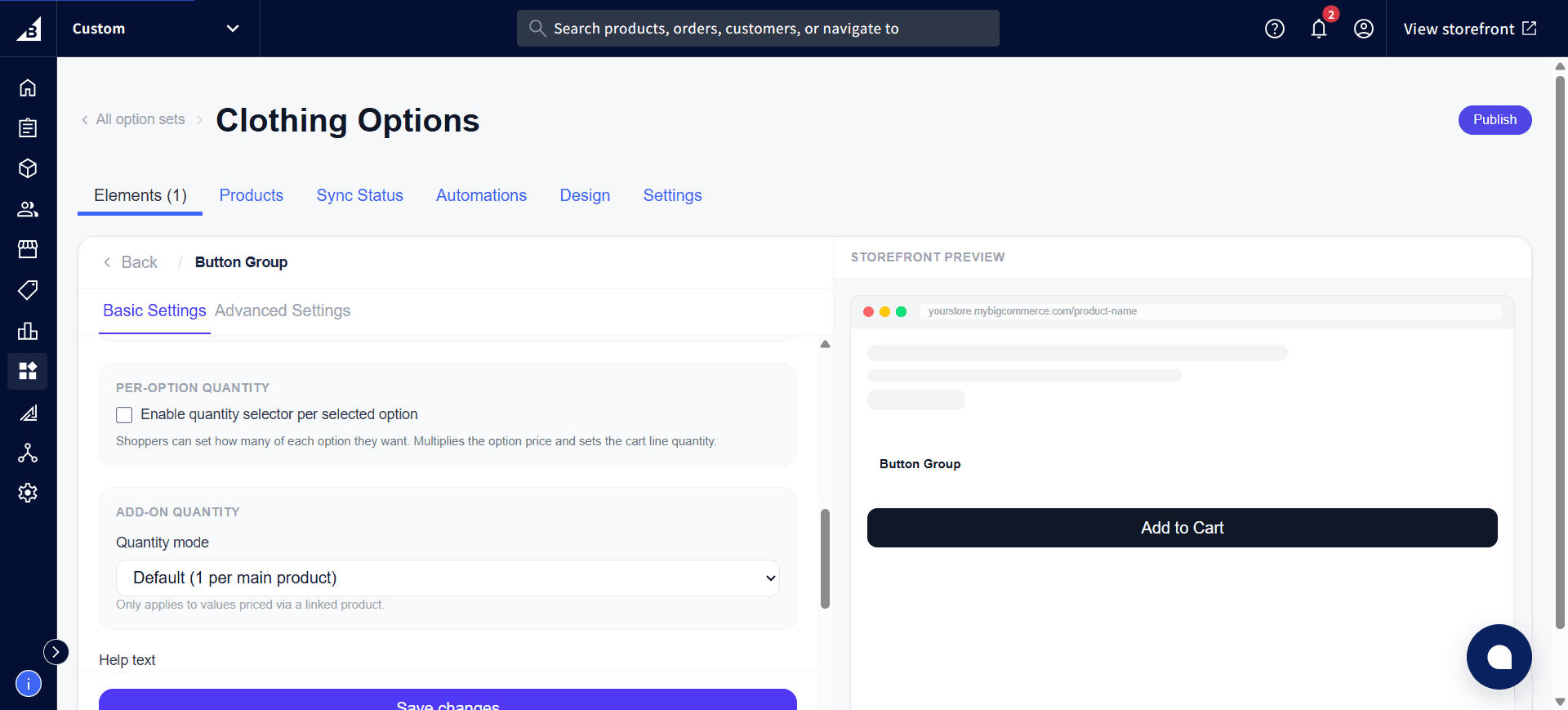
Scrolling further down shows Per-Option Quantity and Add-on Quantity:
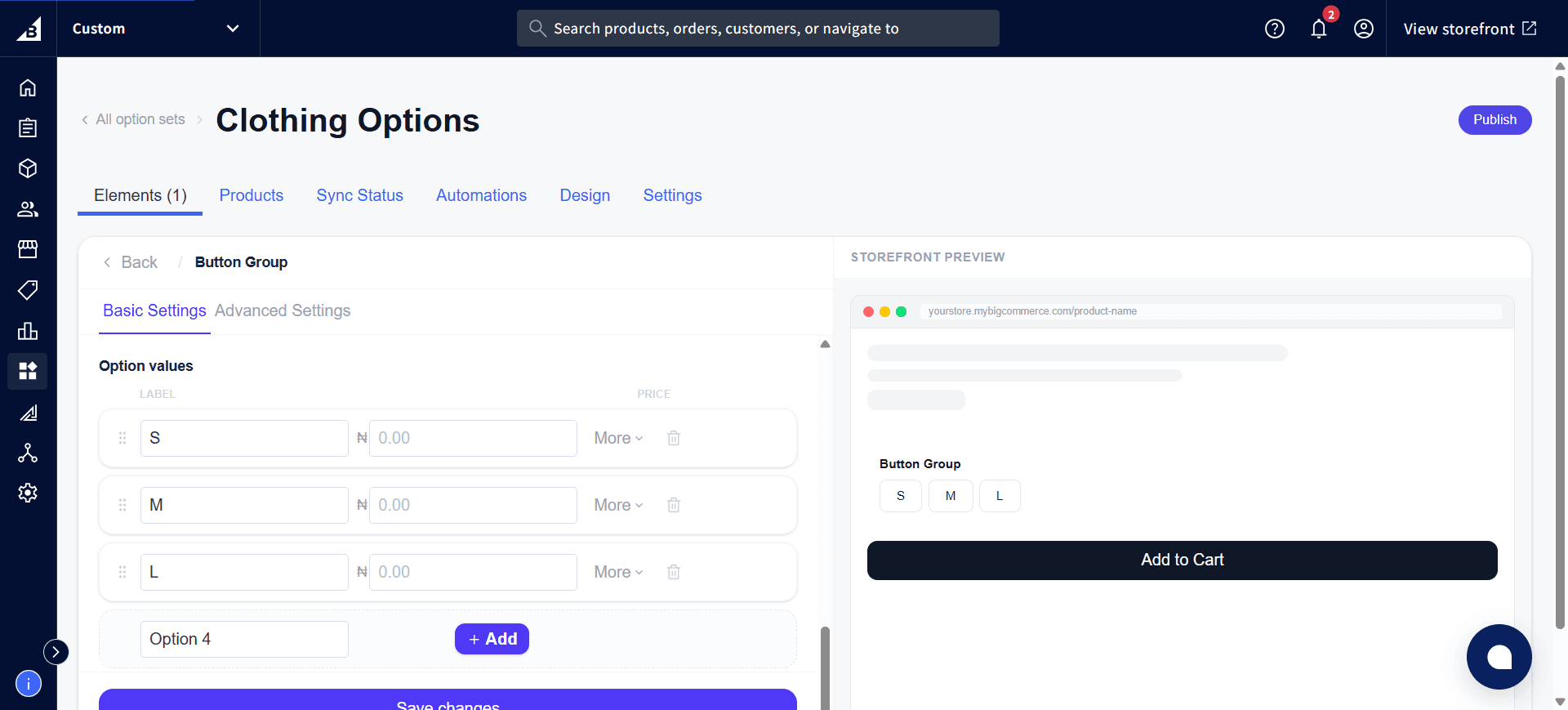
Values tab
| Field | Description |
|---|---|
| Label | Button text and the value sent in the order |
| Internal name | Admin-only |
| Default | Pre-select this button |
| Disabled | Renders this button as greyed out and unclickable (e.g., out of stock) |
| Price | Add-on price for selecting this button |
Storefront behavior
- Renders as a row of clickable buttons
- Selected button gets the highlighted style (configured in Design settings)
Single selection
The selected option is recorded on the order. In the order: [Element label]: [Selected value label] — e.g. Size: Large.
Multi-select (Allow multiple on)
Each checked value appears as its own line on the order. In the order, every selected button appears as a separate line:
Size - Small: Yes
Size - Large: Yes
Unselected values are not listed. After toggling Allow multiple on or off, open the element in the admin and click Save — the app automatically updates the behind-the-scenes setup in BigCommerce.