Dimension
A multi-axis measurement input — one row per axis (Width, Height, and optionally Depth), each with its own unit, default, minimum, and maximum. Built for products priced or produced based on custom size.
When to use
- Custom-cut materials priced by area or volume (fabric, glass, lumber, tile)
- Framing, signage, or printing where the customer enters exact width and height
- Any product where you need more than one linked numeric measurement from the customer
For a single numeric value, use Number instead. For a single draggable value, use Range Slider.
General settings
| Setting | Description |
|---|---|
| Label | Field label shown on the storefront |
| Required | Customer must fill in the dimension fields before adding to cart |
| Hide label | Hides the label in the storefront UI |
Dimension settings
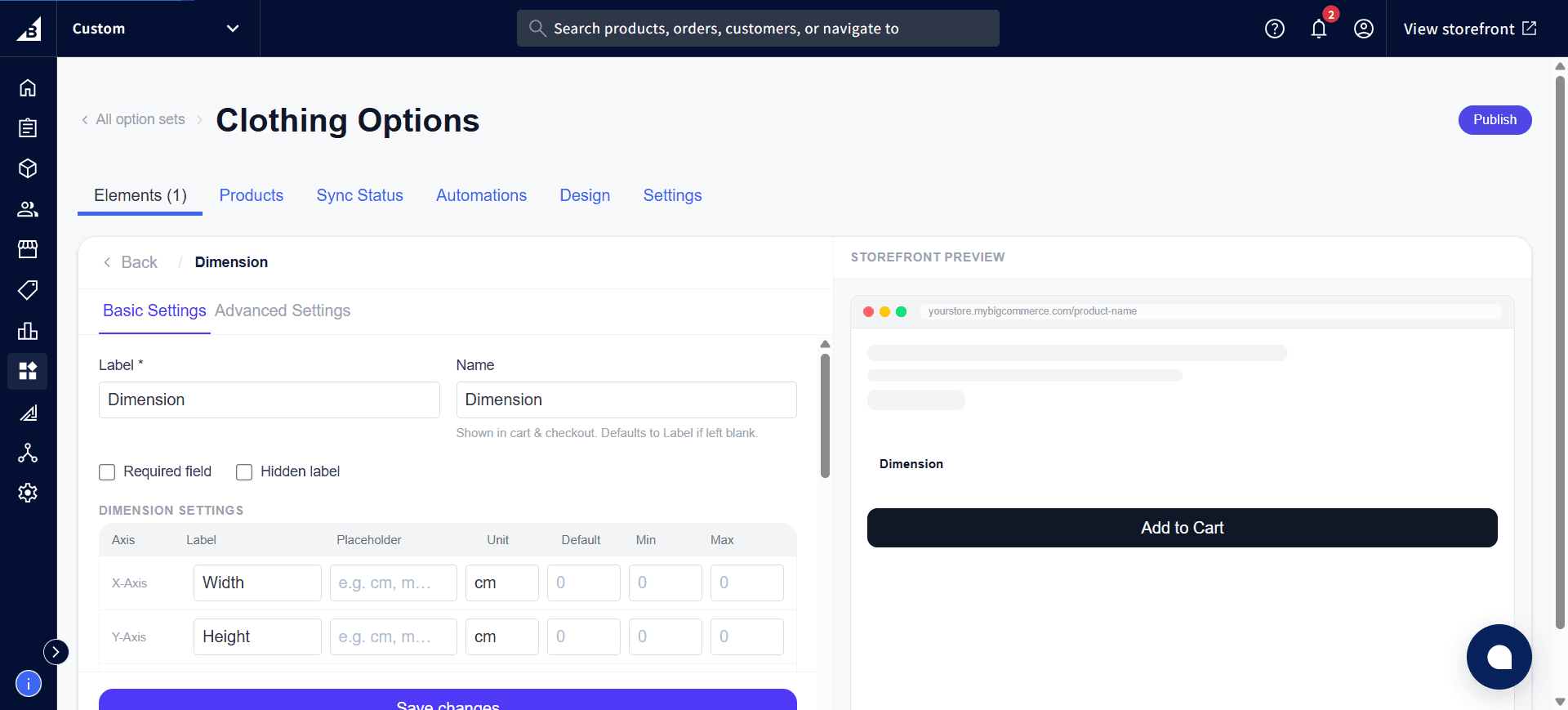
Each row in the table is one axis the customer fills in:
| Column | Description |
|---|---|
| Axis | X-Axis, Y-Axis, or Z-Axis — fixed, not editable |
| Label | What the customer sees for this axis (e.g., “Width”, “Height”, “Depth”) |
| Placeholder | Hint text shown inside the empty field |
| Unit | Unit label shown next to the field (e.g., cm, in, mm) |
| Default | Pre-filled value for this axis |
| Min / Max | Minimum and maximum allowed value for this axis |
A new Dimension element starts with two rows, Width and Height (X-Axis and Y-Axis) — add a Z-Axis row for products that also need a depth measurement.
Add-on pricing
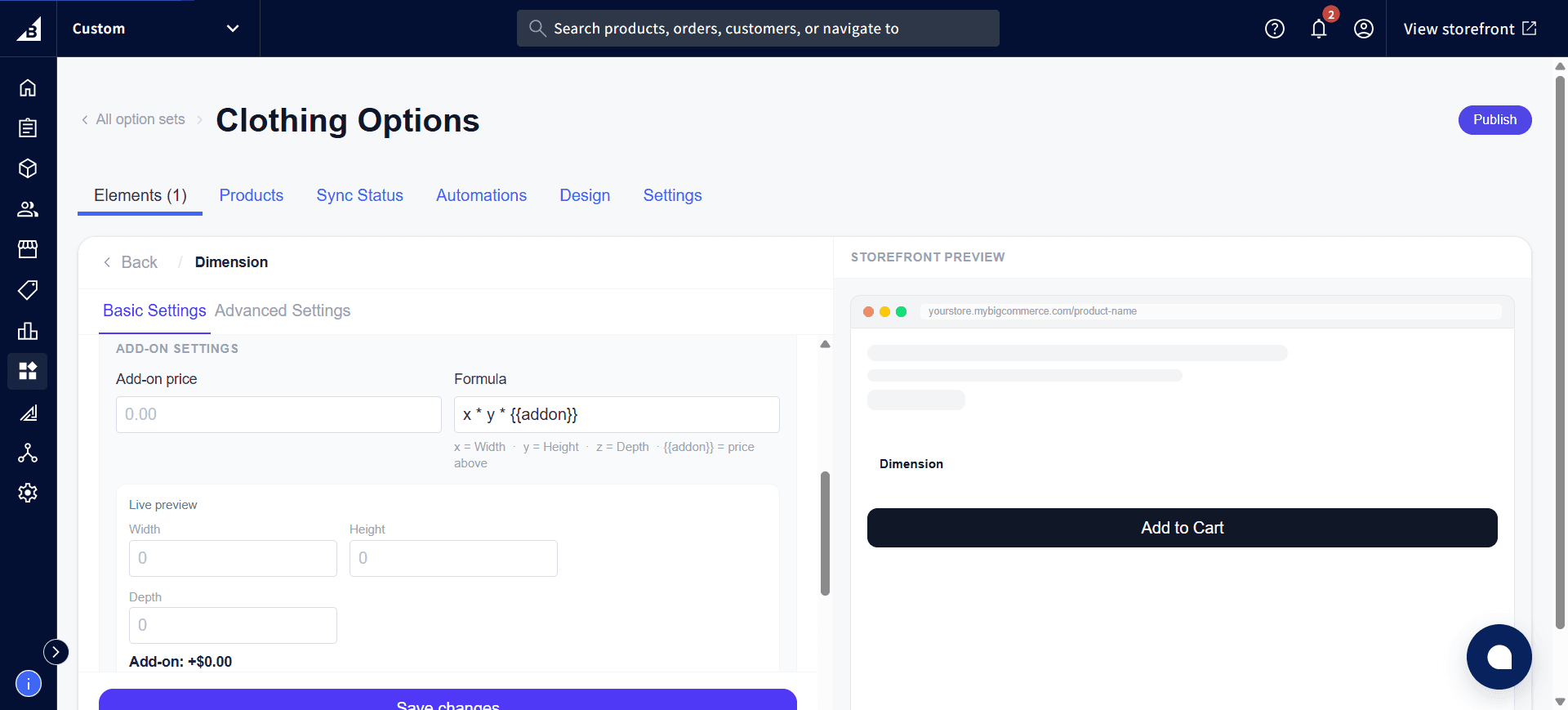
Dimension elements can charge based on a formula that combines the entered measurements, rather than a flat per-value price:
| Setting | Description |
|---|---|
| Add-on price | A flat fee added regardless of the formula result, if set |
| Formula | An expression using x (Width), y (Height), z (Depth), and {{addon}} (the Add-on price above) — for example x * y * {{addon}} charges by area at a fixed rate per unit |
The settings panel shows a Live preview with test Width/Height/Depth fields so you can confirm the formula calculates the price you expect before publishing:
Storefront behavior
- Renders as one labeled number field per configured axis, each with its own unit suffix
- If Add-on pricing is configured, the calculated price updates live as the customer types
- Values outside a Min/Max range are rejected on add-to-cart
- Required validation fires on add-to-cart if any axis is left empty
- Each axis value is recorded on the order as a separate line (e.g.,
Dimension - Width: 45 cm)